What’s new
You can now view Social Planner performance directly on the Dashboard using newly added widgets. These widgets surface aggregated social analytics so the accounts can quickly understand how their social content is performing, without navigating away from the Dashboard.
How it works
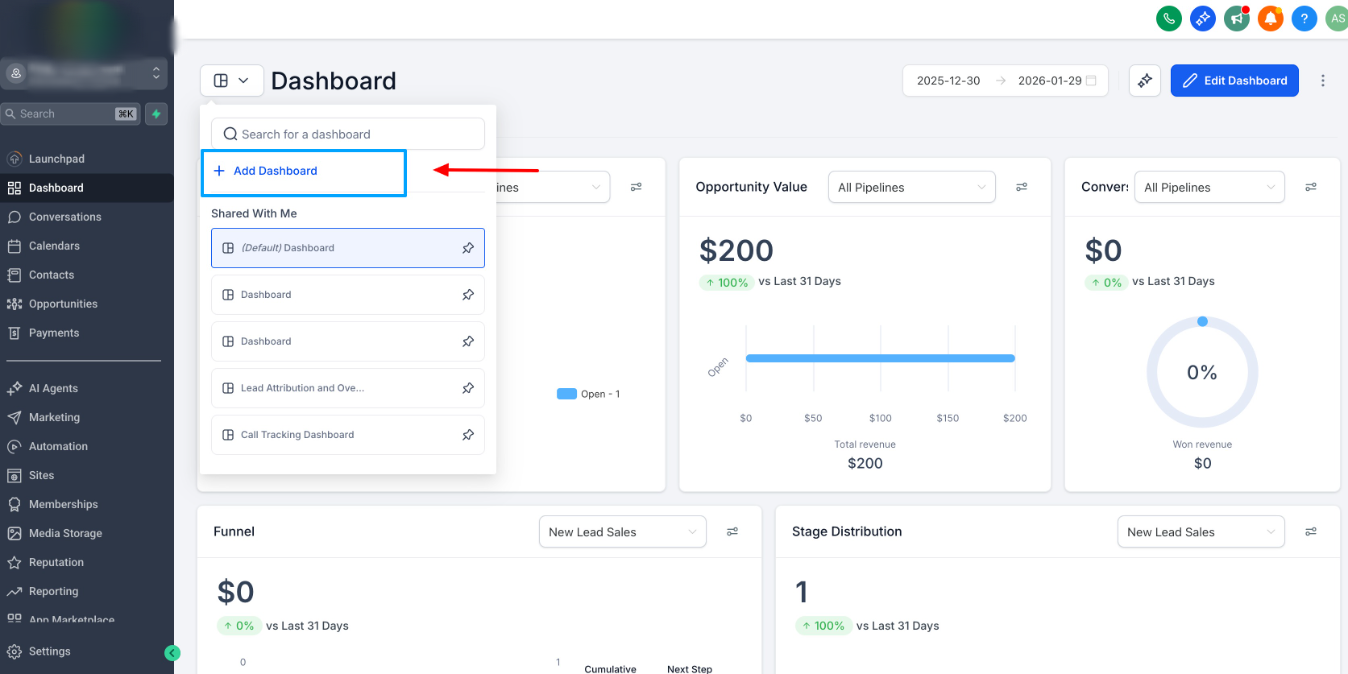
Got o Dashboards>> Add Dashboard>>Social Planner Widgets
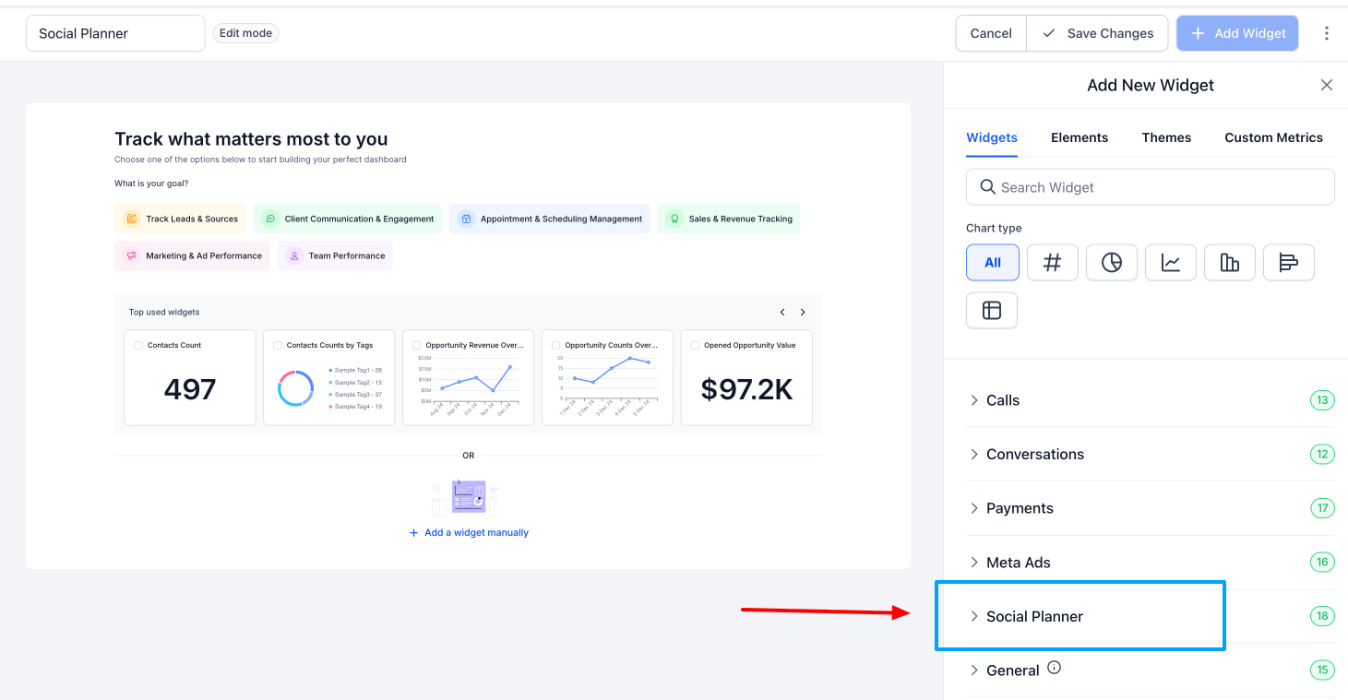
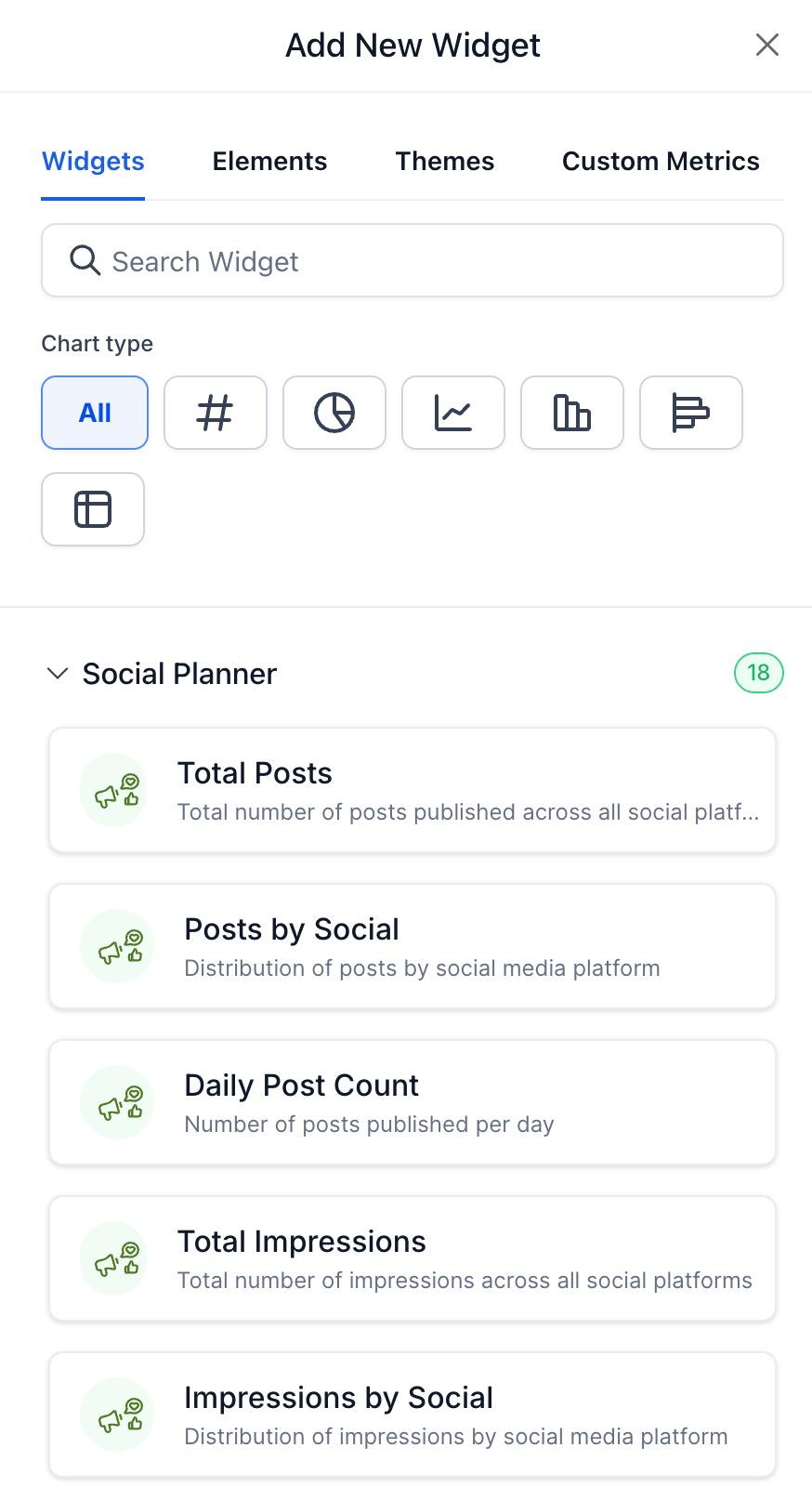
1) Social Planner Dashboard Widgets
New widgets are now available on the Dashboard for Social Planner analytics.
These widgets support aggregated metrics such as:
- Posts
- Likes
- Comments
- Shares
- Impressions
- Reach
- Followers
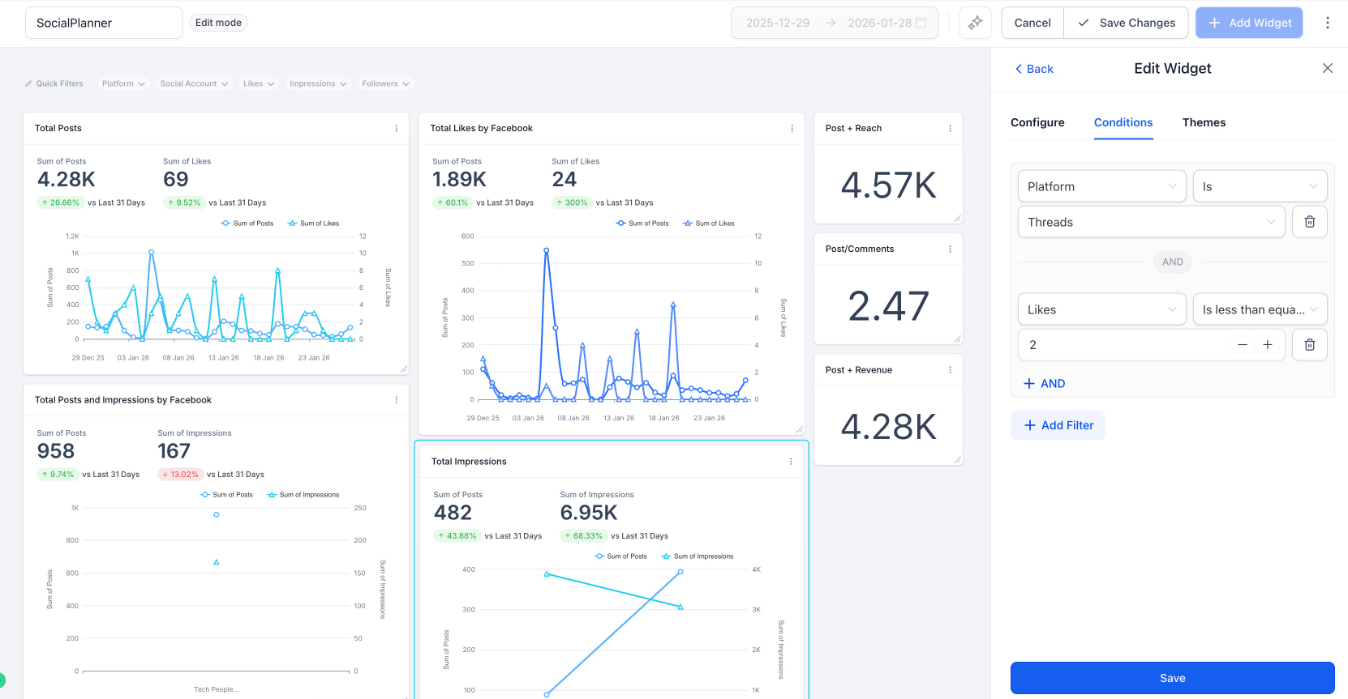
2) Filters & Grouping Options
Users can configure widgets using filters of:
- Platform
- Social Account
- Date Range
Group data by:
- Date
- Platform
- Social Account
3) Built for Scale & Reuse
Numeric widgets are supported for key social metrics
Fully compatible with:
- Dashboard Widgets
- Custom Reports
- Snapshots
- Templates
Why it matters
These new Social Planner widgets help accounts:
- Get instant visibility into social performance from the Dashboard
- Monitor key metrics without switching contexts or reports
- Rely on consistent, unified analytics across Dashboards and Custom Reports
- Scale social reporting seamlessly as new metrics and capabilities are added
Was this article helpful?
That’s Great!
Thank you for your feedback
Sorry! We couldn't be helpful
Thank you for your feedback
Feedback sent
We appreciate your effort and will try to fix the article