Feature Overview
Users can now easily access and review form submissions directly within the Conversations section, improving visibility and response workflows.
What’s New
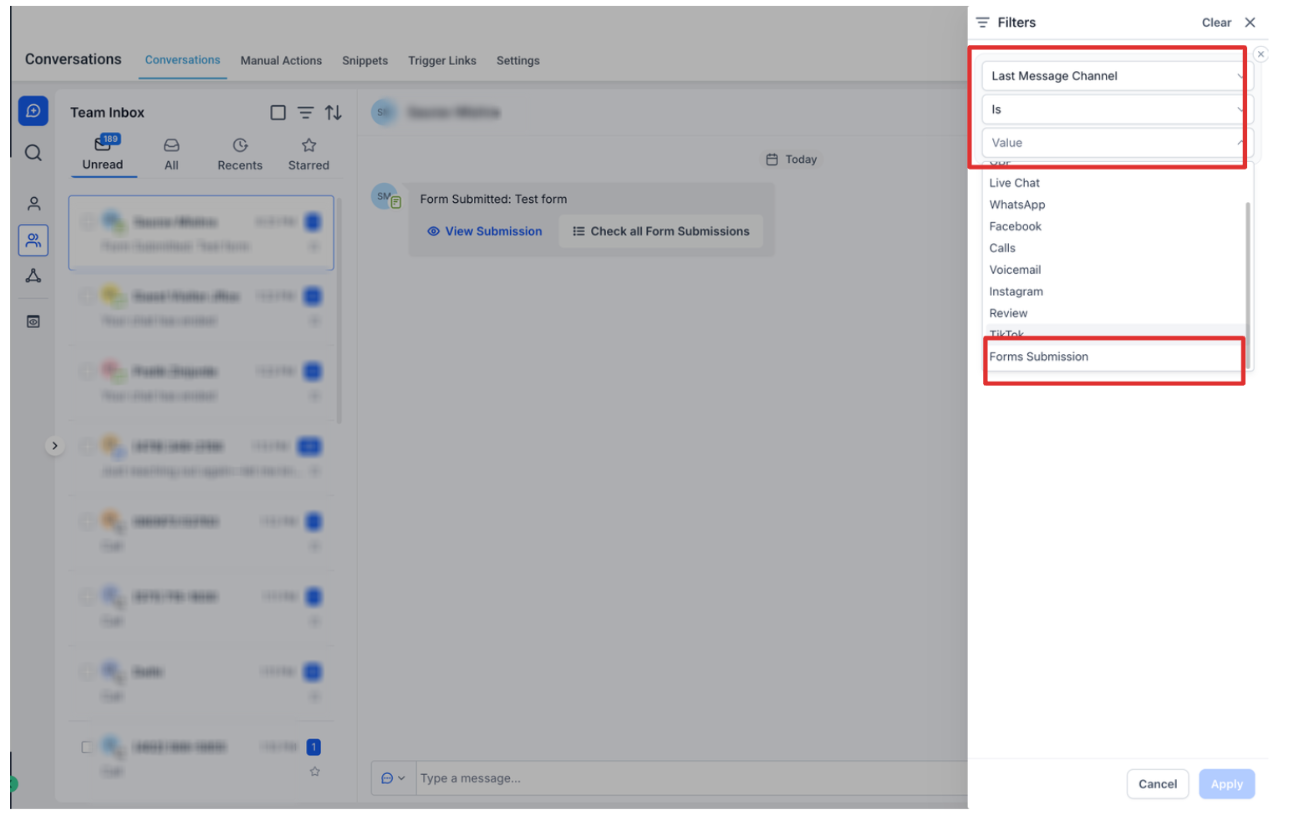
• Form Submissions Embedded in Conversations
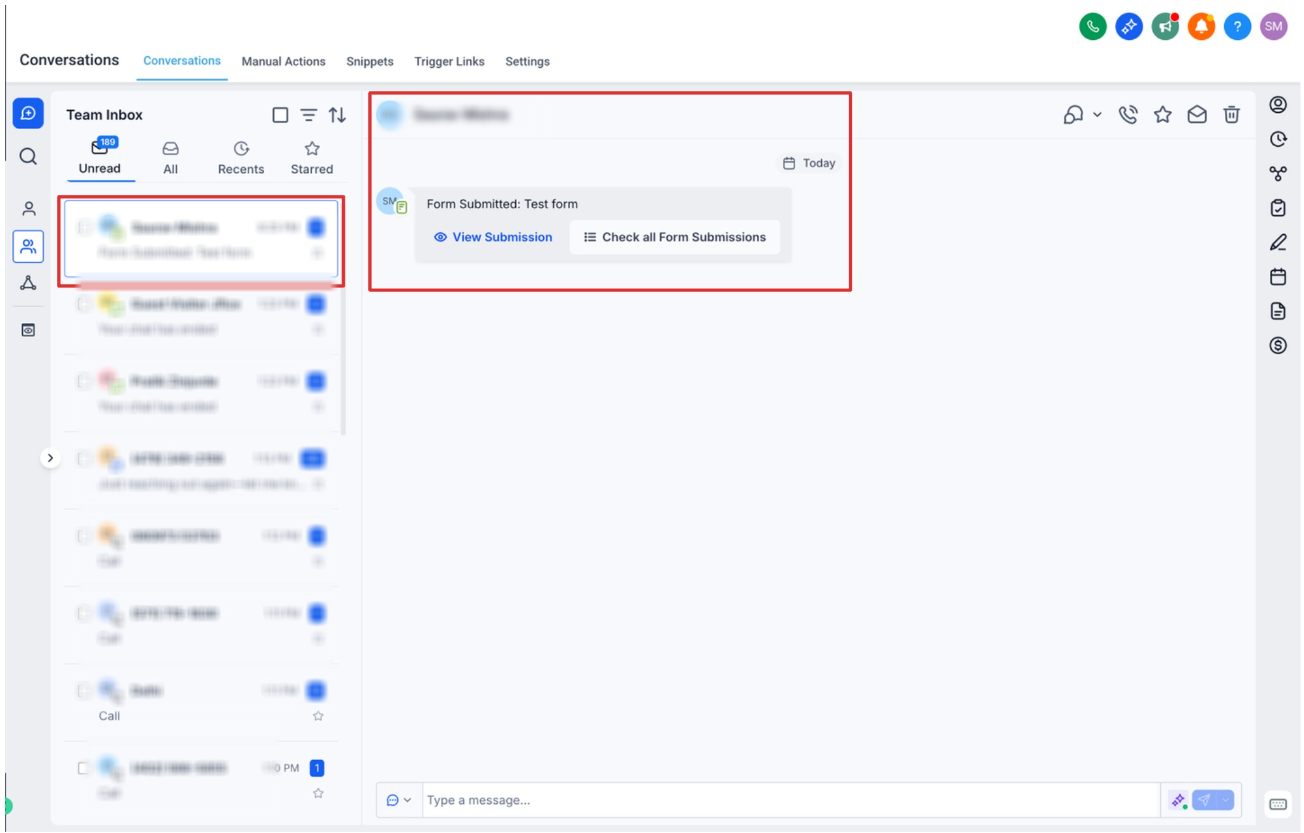
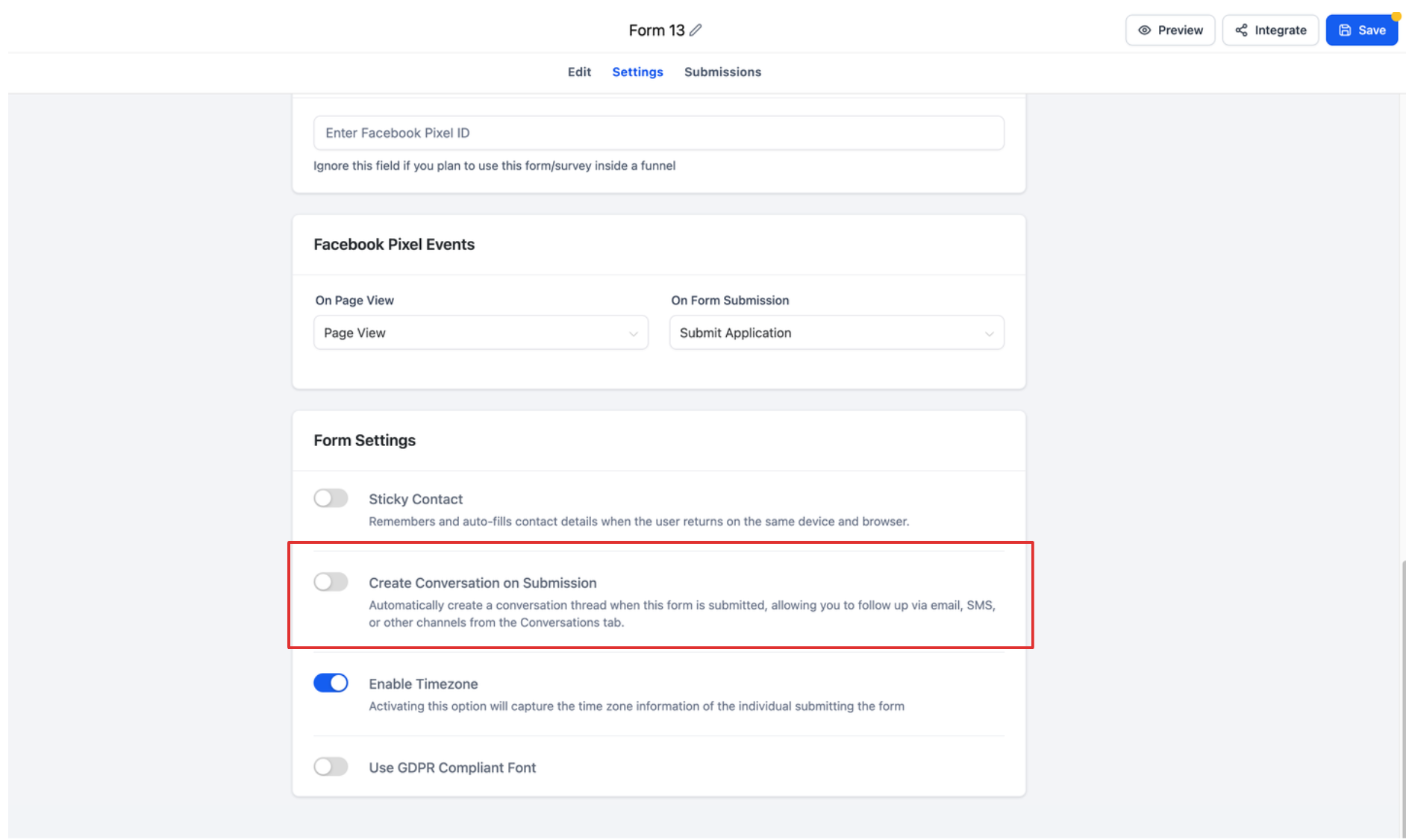
Form responses are now automatically attached to the relevant conversation thread.
Enables quicker context without switching tabs.
• Unified View of Contact Interactions
View messages, form submissions, and interaction history in one place.
Reduces the need to navigate across multiple sections.
• Improved Lead Context for Faster Follow-ups
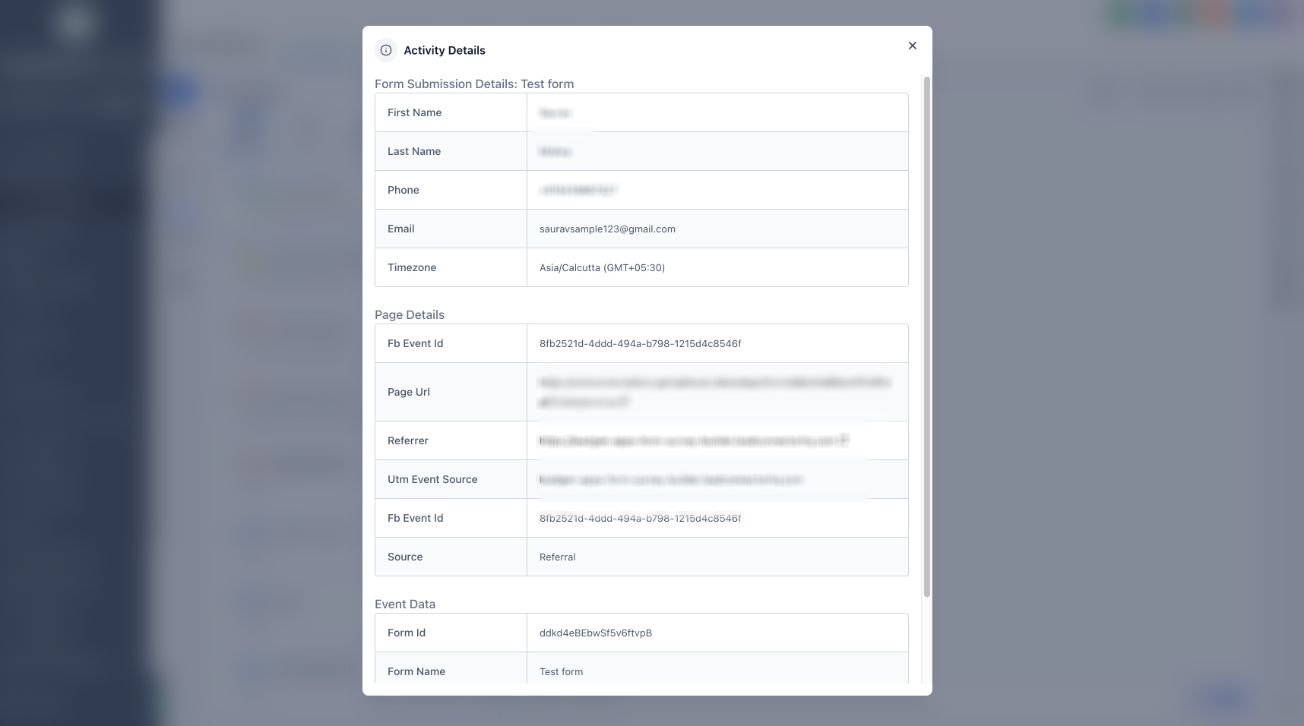
Instantly see what a lead submitted before replying.
Helps personalize communication and improve conversion rates.
How It Works
Navigate to Conversations.
Open a conversation tied to a contact who submitted a form.
Locate the form submission card/message within the thread.
Click to expand and view full submission details.
Key Notes
Works for forms created within the platform.
Submissions appear automatically when tied to a contact/conversation.
Visibility depends on proper form-to-contact association.
Impact
Faster response times
Better context for sales/support teams
Streamline
d communication workflows
Was this article helpful?
That’s Great!
Thank you for your feedback
Sorry! We couldn't be helpful
Thank you for your feedback
Feedback sent
We appreciate your effort and will try to fix the article