What’s new
You can now track how every shared URL performs across platforms.
- View:
- Total clicks
- Platform-wise breakdown
- Trend visualization over time
- Advanced Filters & Sorting
- Quickly segment insights using:
- Selected social platforms
Why it matters
URL Tracking helps users:
- Attribute traffic to specific posts, platforms, and campaigns
- Replace manual spreadsheets and third-party link trackers
- Identify high-performing URLs and optimize posting strategy
- Improve ROI by doubling down on top-converting content
How it works
- Go to Marketing → Social Planner → Statistics → URL Tracking
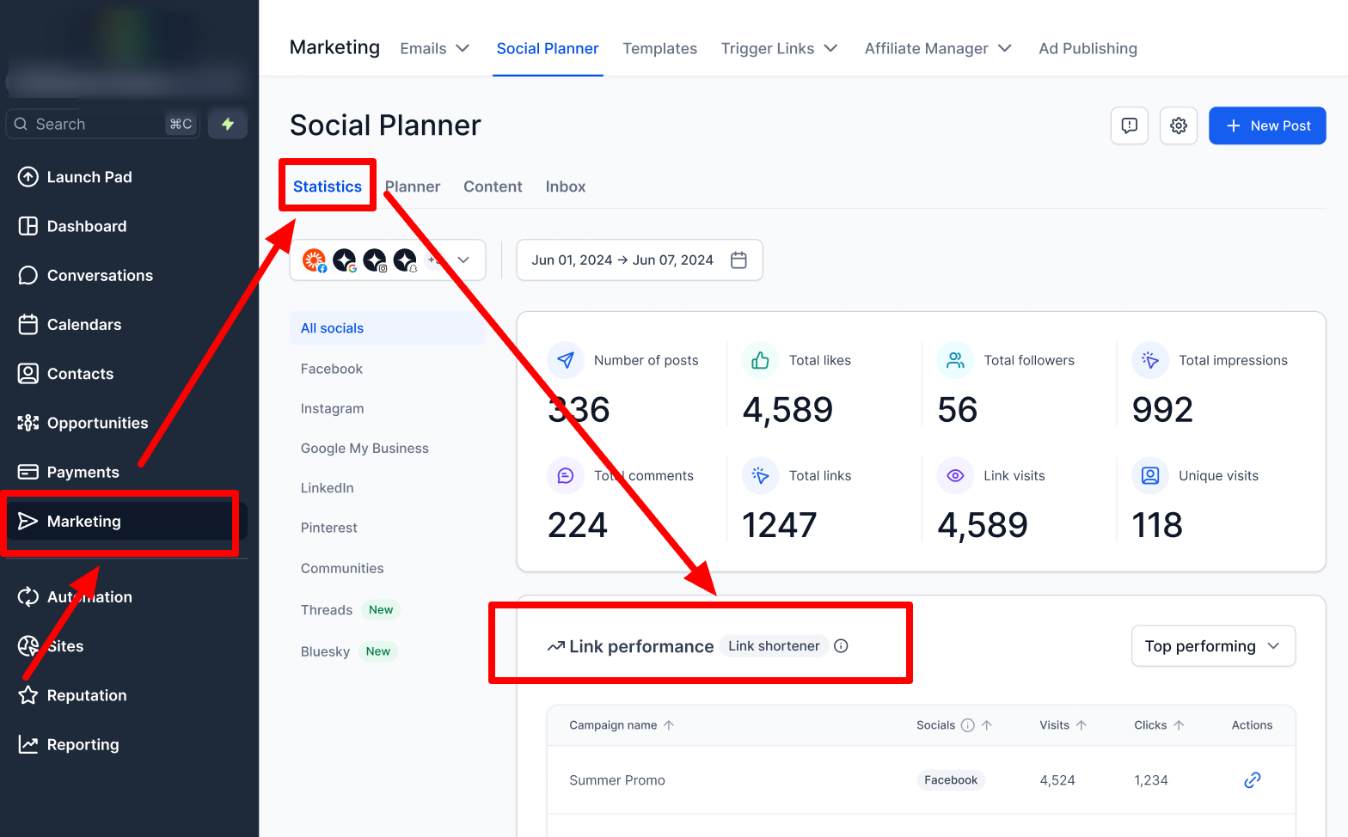
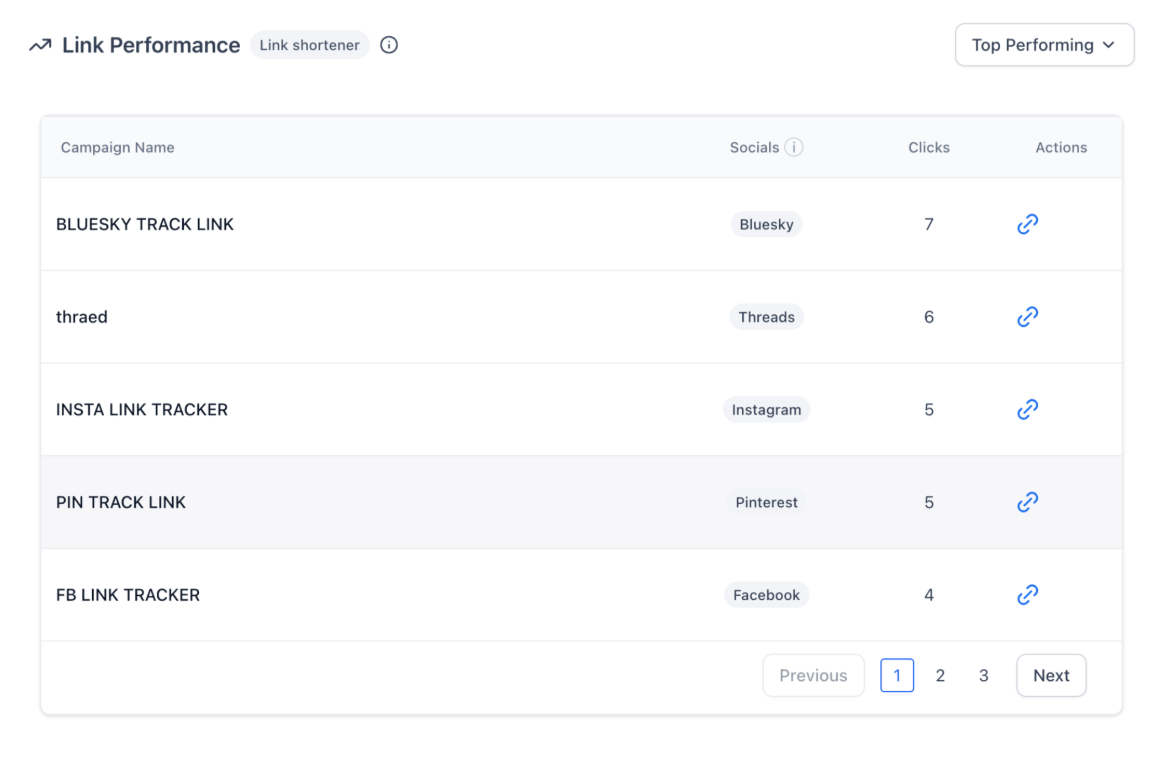
- When composing a post, you can assign a Campaign Name to your link. All posts using that same link + campaign are grouped together in analytics, helping you compare and understand performance across posts and channels.
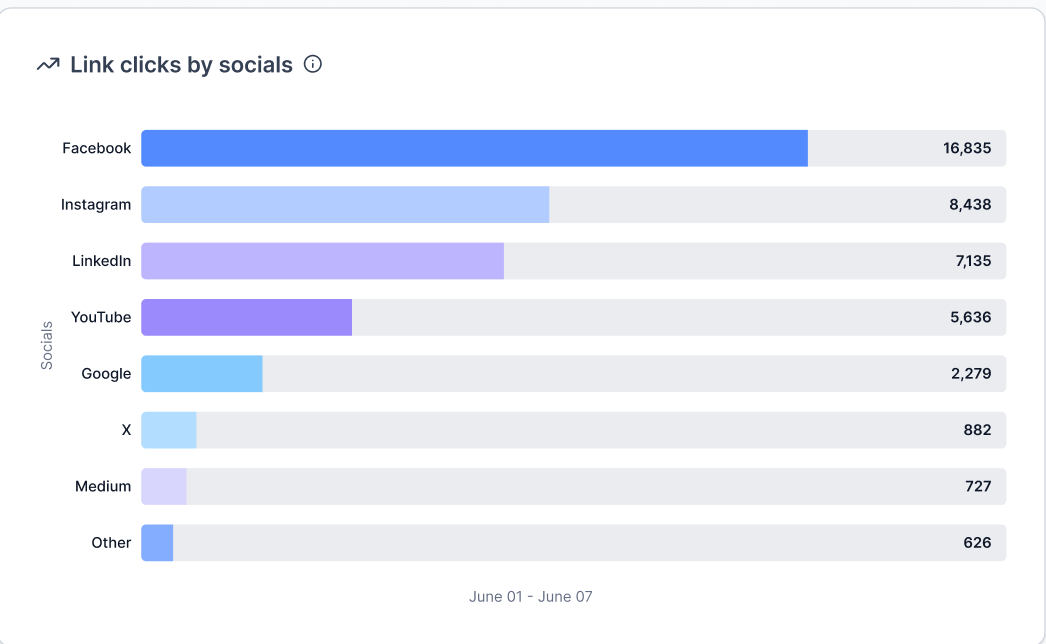
Every URL you share through Social Planner is now measurable. You can track:
- Total clicks on each shortened or original URL
- Platform-wise performance (Facebook, Instagram, LinkedIn, etc.)
Was this article helpful?
That’s Great!
Thank you for your feedback
Sorry! We couldn't be helpful
Thank you for your feedback
Feedback sent
We appreciate your effort and will try to fix the article